Bring your folders together.
Use tabs and panes to work across locations. Inspect the source and destination as you organize project files.
File management for Windows
Give your folders room to breathe. Browse with tabs and panes, follow copy and move operations, and keep a receipt of what happened.
Coming to Microsoft Store · Windows release in preparation
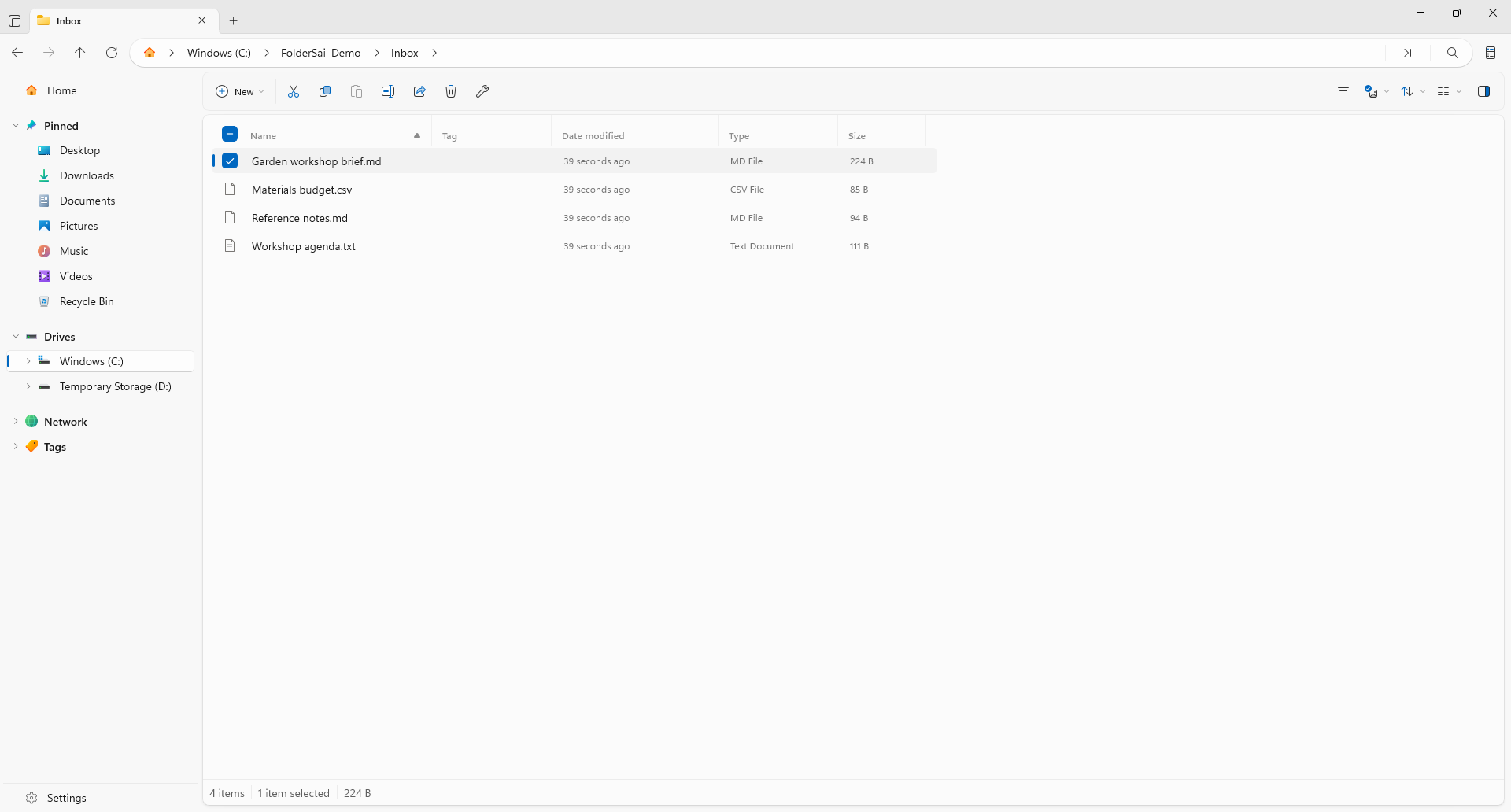
Use tabs and panes to work across locations. Inspect the source and destination as you organize project files.
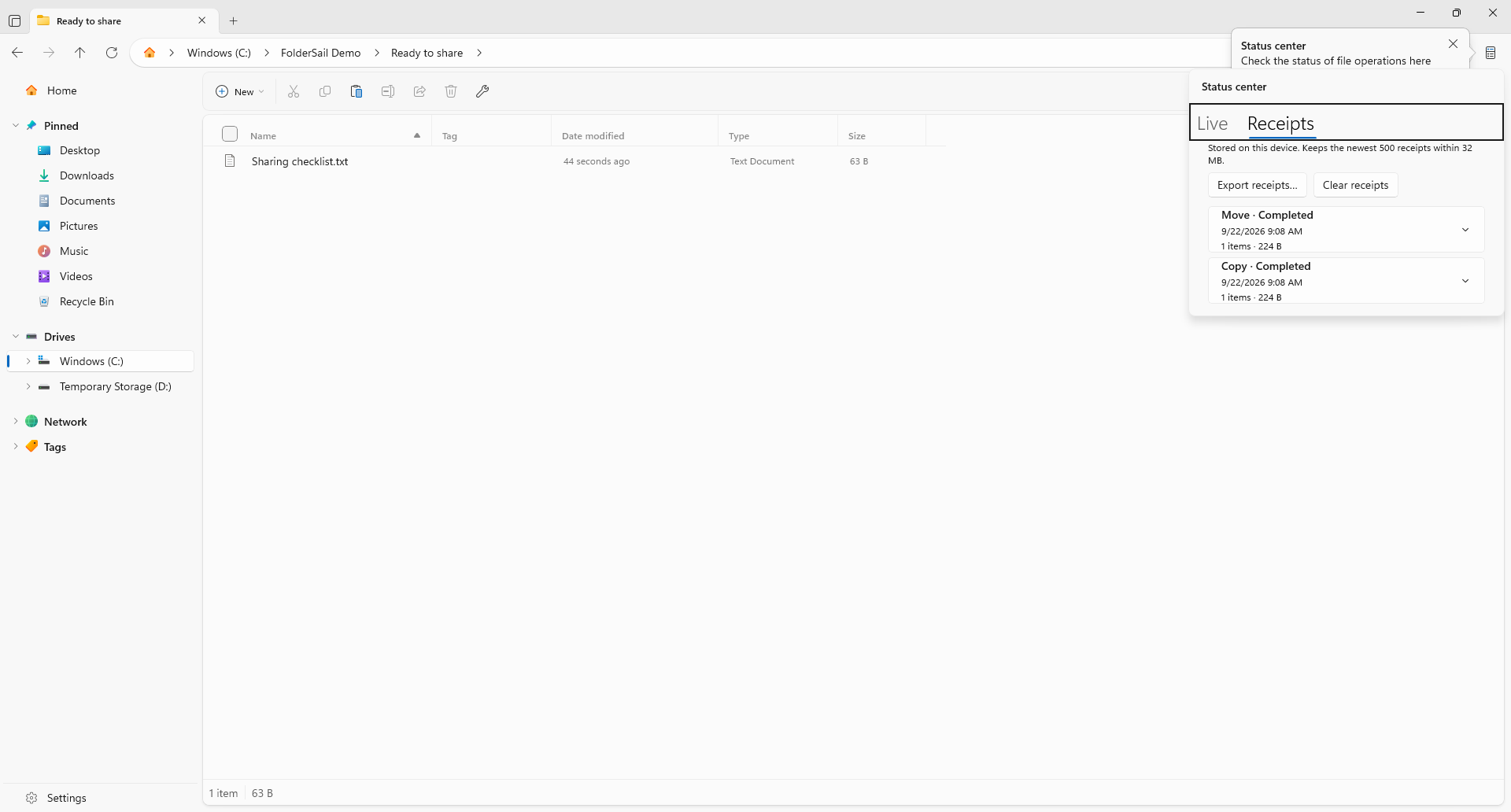
Open Status Center to inspect file operations and their outcomes. Cancellation controls are available for supported operations.
Persistent receipts record operation outcomes and paths. Expand an entry to review its source and destination, or export receipts to CSV.
After the progress bar
When you need to revisit a copy or move, open the receipt history. Inspect the recorded result and paths without relying on memory.
A clearer file workflow
Use FolderSail as a desktop app alongside the tools you already know. It does not automatically replace Explorer or change your default file manager.
Use tabs or panes to navigate your source and destination. Check your selection before starting a file operation.
Inspect operations and their terminal results. Review a receipt when you need its recorded details.
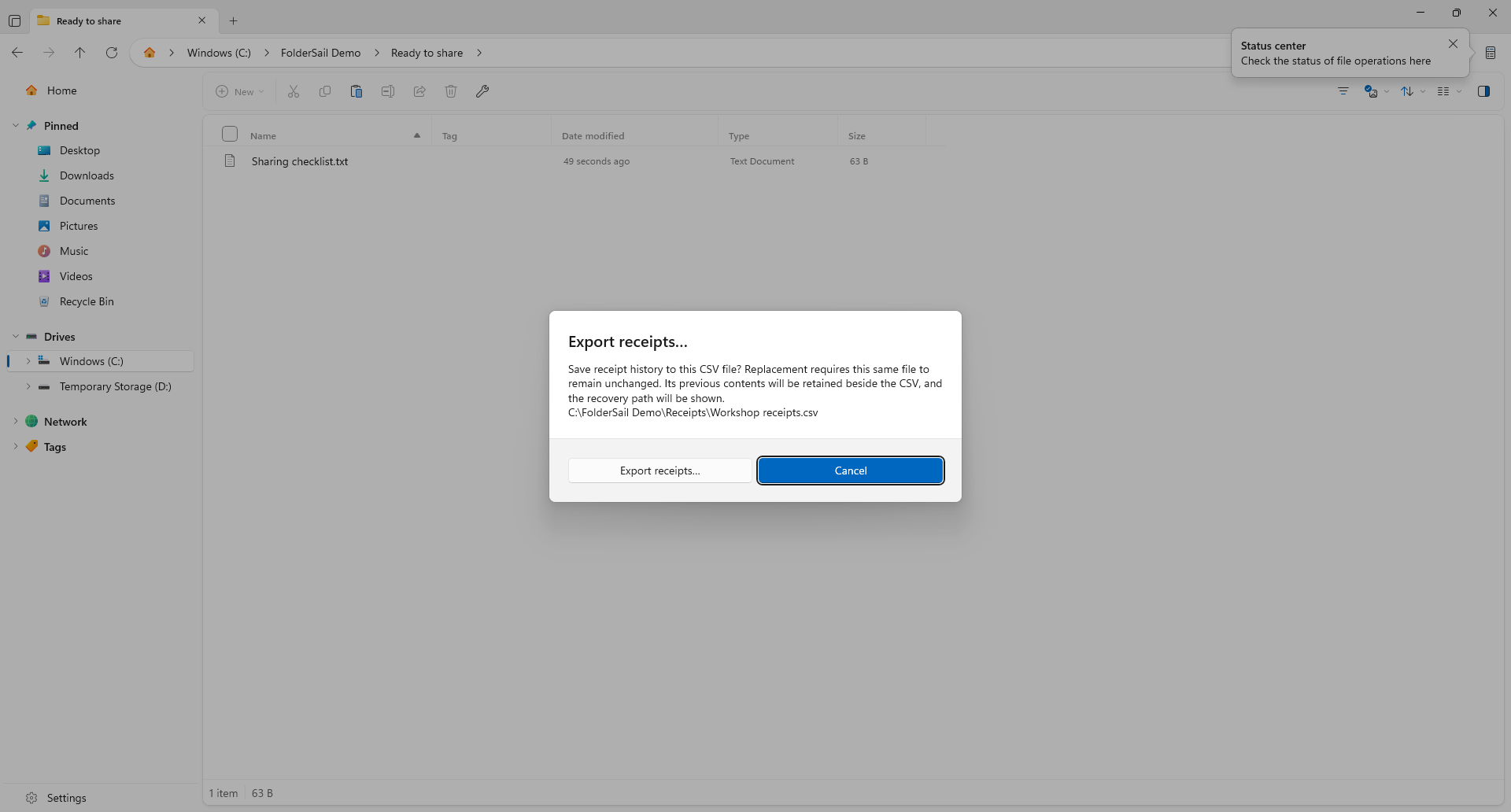
Choose a CSV destination and make an explicit replacement decision. Keep the exported receipt with your project notes when useful.
One-time purchase
File browsing and operation receipts in one Windows workspace.
US launch price · Pay once, no subscription.
Microsoft Store displays local prices and applicable taxes.
The app is not yet available to purchase.
Before you start
No. Receipts record operation details and outcomes. They do not preserve an extra copy of your files or make every operation reversible. Keep independent backups of important data.
Local history keeps the newest 500 receipts within a 32 MB limit. Export the records you need to retain before clearing history or reaching its limits.
Cancellation depends on the operation and its current state. Inspect the final result and affected files after cancelling or encountering an error.
It does not automatically change the default file manager. Open FolderSail when you want its browsing workspace and operation receipts.
Receipts can include local filenames, paths and operation outcomes. Review the CSV before sharing it. See the privacy policy or contact support for help.
FolderSail is an independent Trieflow LLC product based on Files open-source software. Source code, build information and original license notices are available without charge.